
Thinking about using Viral Vue to grow your Amazon Influencer business? In this post I share my honest review of using Viral Vue, a 10% DISCOUNT promo code and answers to the top eight questions about ViralVue.
Viral Vue Promo Code to save 10% on upgraded plans
Make sure to use my promo code to save yourself 10% discount when signing up. The code is: CONTENTCREATOR
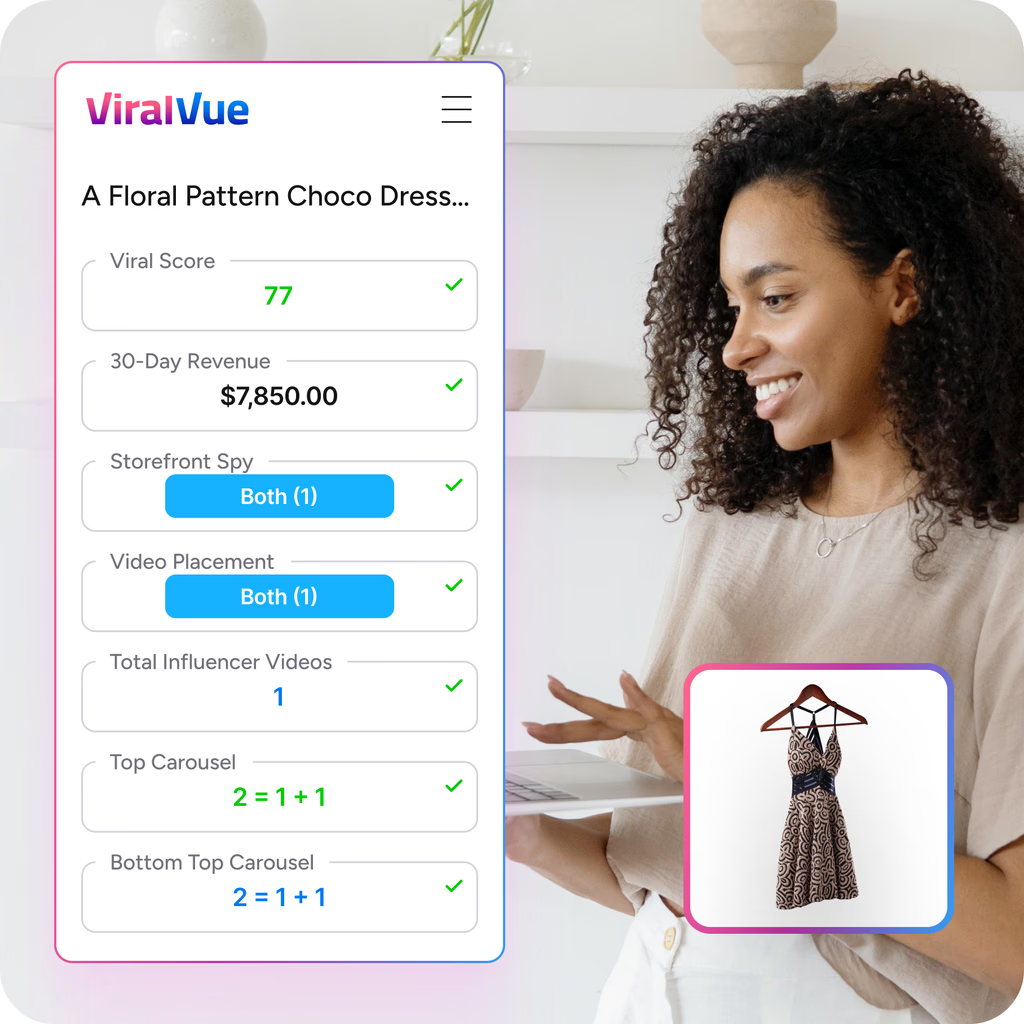
What is ViralVue?
Viral Vue is an app that plugs into your Amazon Influencer or Associate account.
Why should I get Viral Vue?
In simple terms, Viral Vue helps you with:
Product-Specific Analytics
By connecting your Amazon Influencer program to Viral Vue you are able to see analytics you wouldn’t otherwise be able to see.
Business automation tools
When your Amazon Influencer business is connected to Viral Vue, you also have access to a growing number of streamlining tools that help you run your business.
The Premium Viral Vue subscription tool helps you grow your Amazon Influencer business in a variety of ways including:
- Find products to review
- Identify the best products for you to review – which products have the most sales and least competition from other creators
- Search the Creator Connections Database
- Help you create and send messages to get brand deals
- Provides you an easy-to-read media kit link which you can share with brands
- Manage all your brand deals in one platform
- Provides community support through a private Facebook group
- Cross post your Amazon Influencer videos to other platforms including YouTube and Pinterest
and more!
Watch these video tutorials:
Can I use ViralVue with multiple storefronts?
Yes, you can use Viral Vue with multiple storefronts.
Heres how to add multiple storefronts to Viral Vue >
Does Viralvue work with TikTok?
Yes! Viral Vue has recently launched their TikTok app for creators on this platform.
Viral Vue shows you which products on TikTok are trending, converting, and worth your time—so you can post with confidence.
Why would I want a Viral Vue media kit?
One of the great perks of having the Premium account with Viral Vue is the Media Kit that comes with your subscription. The media kit is a one page landing page link you can send brands that includes all the details of working with you, including:
- Bio
- Links to Amazon storefront
- Links to YouTube
- Links to Pinterest
- Links to TikTok, Facebook, and Instagram
- Links to your website and other pages you want to share
- Rate card for how much you charge for sponsored content (if any)
- Sales stats
- Video number stats
and more.
Being able to send a brand one simple link with all this info is not only easier for you, it also makes it easier for them to see more about you on one simple page.
The best part is, setting up your ViralVue media kit is very quick and easy! Just add your info and you’re ready to go. You don’t have to bother with formatting or anything like that.
Step-by-step to sign up for Viral Vue
Signing up is easy!
Just make sure you already are an Amazon Associate or Amazon Influencer. That’s the most important part.
Creating your Viral Vue account takes minutes.
Once you do create your account make sure to install their Chrome Plug-In. The plug-in saves you a lot of time navigating Amazon and Viral Vue.
Here’s a quick and easy guide for signing up with Viral Vue >
How does Viralvue help me pitch brands?
Viral Vue helps you pitch to brands in several ways:
- Create message templates to send to brands
- Send up to 20 messages a day with a Premium membership with just one-click (or 100 if you upgrade!)
- Send follow-up messages to multiple brands with just one-click
- Mark products to add to your “bucket” to be sent out another day (if you run out of messages for the day)
These four tools alone are worth upgrading because sending messages can get tedious if you are trying to send 20-100 brands each day. Being able to create templates for specific types of products is really helpful.
And, being able to have Viral Vue send the messages out in one batch to all the brands saves so much time and energy.
Being able to follow-up with brands who haven’t responded is great too. This tool shows you who hasn’t responded and lets you click a box to send them your follow up messages. You create the template too for what you want the message to say.
All of these outreach tools make pitching to brands quick and easy!
How does ViralVue help me with Creator Connections?
Creator Connections is a new feature Amazon is offering which allows brands to offer additional commission % to Amazon Influencers to promote their products.
The Creator Connections platform allows influencers to search for products to promote that are offering Creator Connections campaigns. It also allows you to work directly with brands to get brand deals.
However, this platform hosts hundreds of thousands of campaigns! And, sorting through all of these campaigns is very time consuming.
Viral Vue helps influencers manage Creator Connections campaigns in several ways (which makes the Premium membership worth it on their own!):
Easily view a big list of campaigns in a “spreadsheet”-like format
One-click auto accept campaigns in bulk
Find and accept campaigns for products you’ve already made videos and posts about – which means you automatically earn those extra commission without having to make new content!
Watch how I use Viral Vue with Creator Connections:
This is the main reason I renewed my Viral Vue Premium Membership after my first month.
For me, this last perk I mentioned above about auto-accepting campaigns I’ve already made videos about is HUGE.
This is like free money!
It saves me SO MUCH TIME not having to constantly search for products in the Creator Connections portal that I’ve already reviewed.
I’ve reviewed over 200 products at this point and new campaigns go live everyday.
It would be impossible for me to keep up on all these bonus commission I can earn WITHOUT the Premium membership.
Viral Vue vs ReviewPro
At this time, I would like to offer you a comparison of ReviewPro to Viral Vue, however Viral Vue has been working so well for me that I don’t feel a need to try another service 🙂
Does Viral Vue upload to youtube automatically?
No, and yes.
When you upload your video to Amazon, you get to tag all the products mentioned in the video. You create a title. Then, STOP.
With the Premium membership to Viral Vue, you get an option to upload that same video to YouTube or Pinterest with the same products directly linked using a special link that opens in the Amazon app for viewers (not just the browser link Amazon gives you).
You are directed over to YouTube, or Pinterest, then you upload your video and Viral Vue autofills all the information for you.
This has been a HUGE time and effort saver for me! I use both YouTube and Pinterest for my Amazon Influencer business so this tool also makes it worth the monthly upgrade cost.
Watch this tutorial for how I upload videos to Amazon Storefront and YouTube in just minutes using Viral Vue:
I hope this ViralVue review was helpful for you! Be sure to use my promo code to save 10% when you upgrade: CONTENTCREATOR.
Create a Viral Vue account now >
See you on Amazon!
Sincerely,
Veronica